RuneKeep
on desktop
Three ways the character sheet could work with a mouse and keyboard, plus the rest of the app laid out for a wide screen. Cards and decks stay at the centre. Swiping and the radial menus give way to hover to read, click to act, and keys to switch hands. Same ink, parchment, gold and Archivo as the phone app, and real card art from the repo.
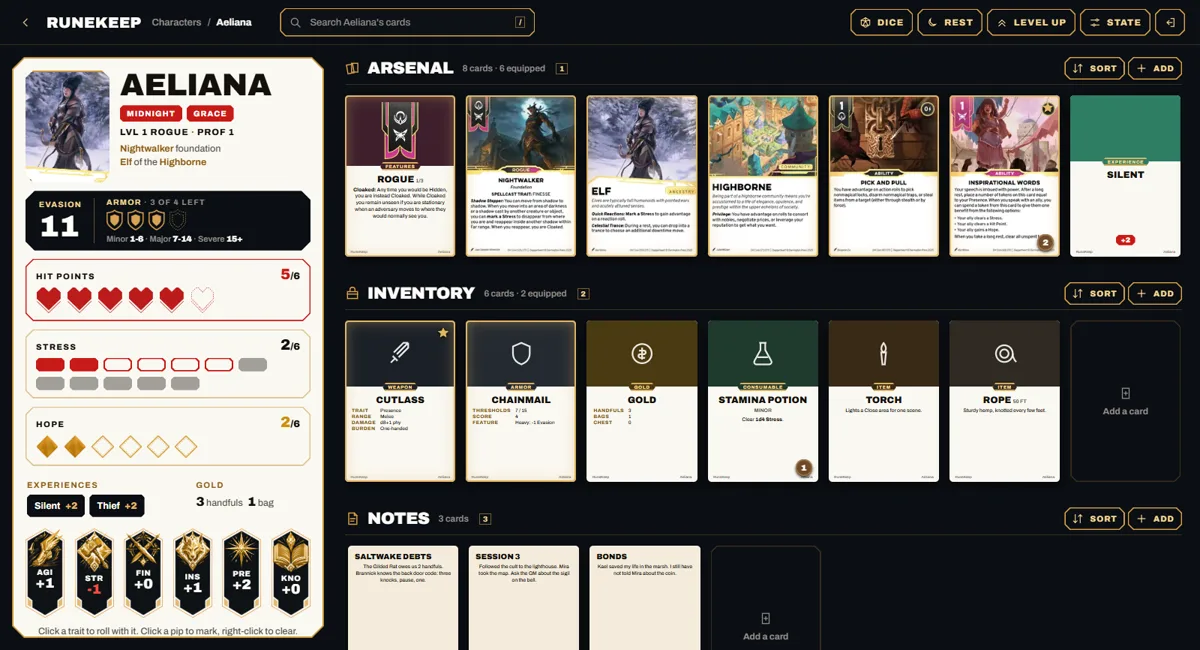
Shelves Open
Every deck is on screen at once, one shelf per deck, beside a parchment column with the vitals. Hover a card to read it at full size, ctrl-click to select several, and drag cards from one shelf to another. The selection bar replaces golden gear edit mode.
- All decks visible
- Hover preview
- Drag between decks
- 1 to 5 jump to a shelf
- / to search
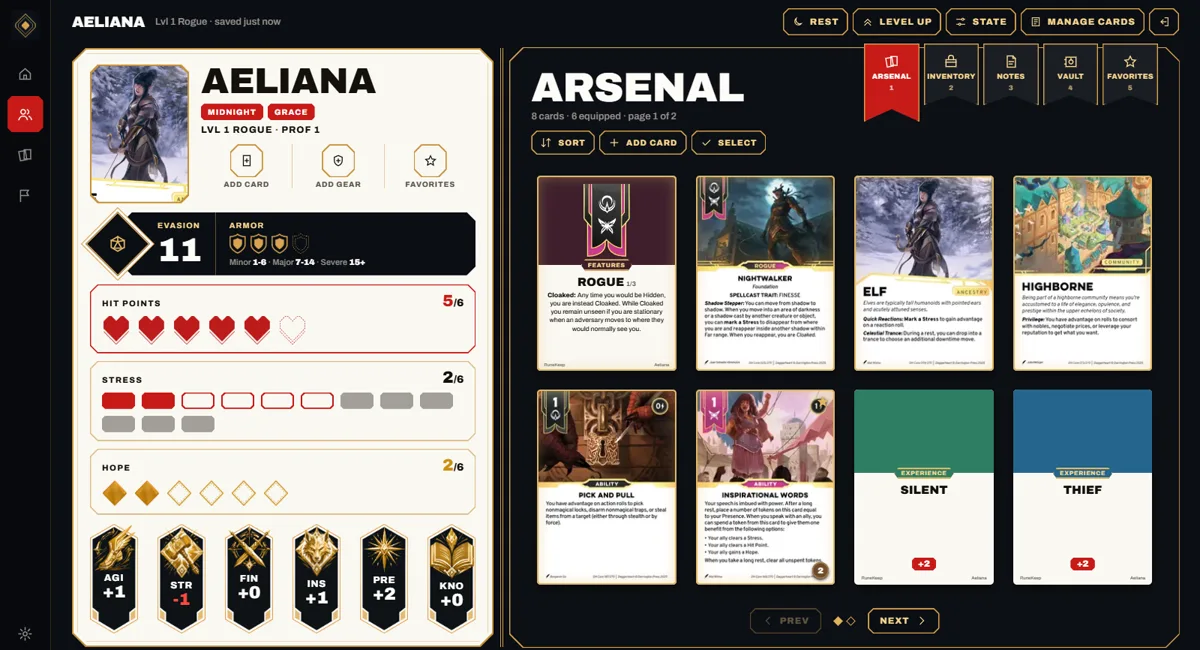
Codex Open
An open book. The left page is the phone sheet, almost as it is now. The right page is a binder of card sleeves for one deck, with ribbon bookmarks to switch decks and page turns instead of a carousel. A card opens on the page itself, and the dice tray swaps in for the vitals the way it does on the phone.
- Closest to the phone app
- Ribbon bookmarks
- Arrow keys turn pages
- R opens dice
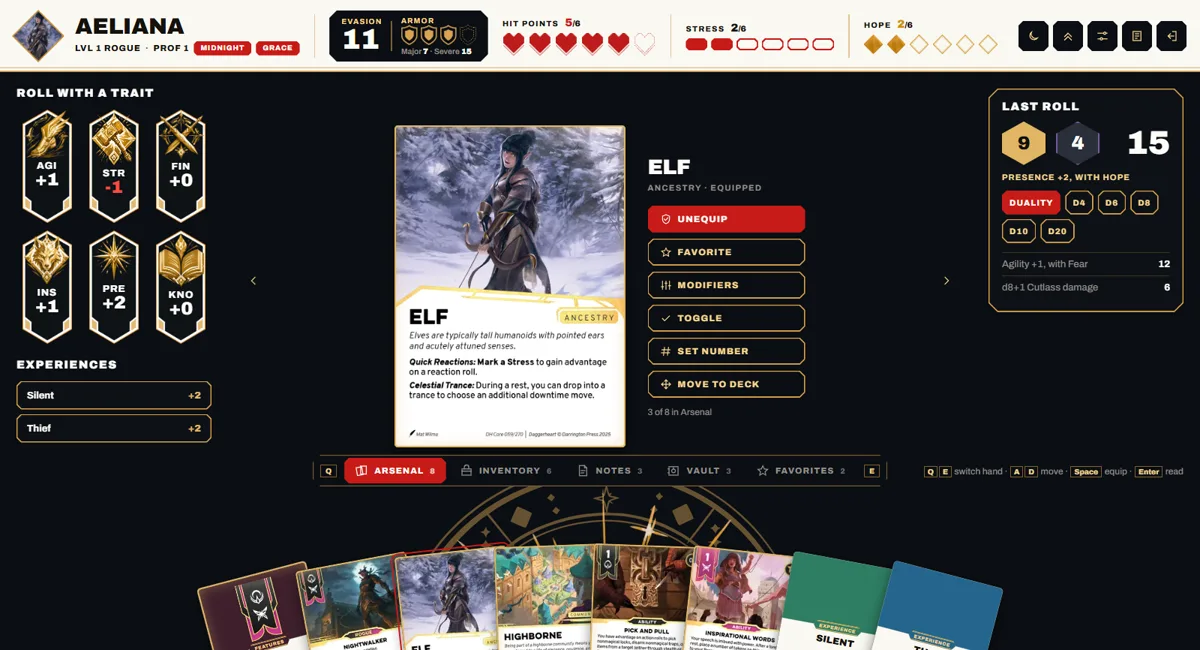
Table Open
A card game table. The sheet is a parchment band across the top, the focused card is large in the middle with its actions, and the hand fans along the bottom like a card game. Q and E swap hands while the golden gear turns. Traits on the left roll, and the dice log sits on the right.
- Hand fan, hover to lift
- Q / E swap hands
- A / D move, Space equips
- Golden gear kept
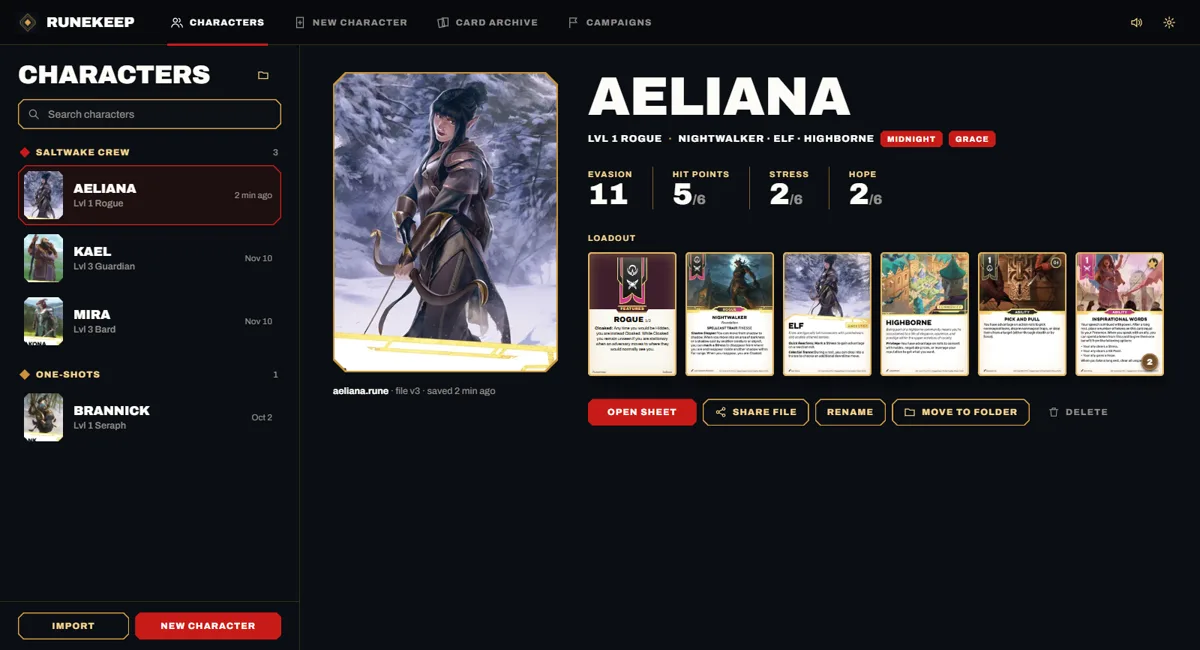
The Keep Open
The rest of the app on a desktop, in one shell with a top navigation bar. Four screens you can click between: Characters as a list with a detail pane, New character with the steps as a rail and every option on screen at once, the Card archive with a filter rail, a grid and a preview (including a Transformation filter), and a Campaign encounter with allies, adversaries, Fear and the log side by side.
- Characters
- New character
- Card archive
- Campaign encounter
These are mockups, not app code. Characters, campaigns, rolls and notes are sample data. Pips respond to click (mark) and right-click (clear), traits roll the duality dice, and buttons that would open a bigger flow (Level up, State, Modifiers) show a notice instead.